Alternative to Kubernetes — Simpler Containers
Alternative to Kubernetes
LayerOps vs Kubernetes
Kubernetes is powerful, but it comes with steep complexity. LayerOps gives you the same production-grade capabilities — without the overhead.
See it in Action
A glimpse into the LayerOps console
Deploy, monitor, and manage all your containers from a single console.
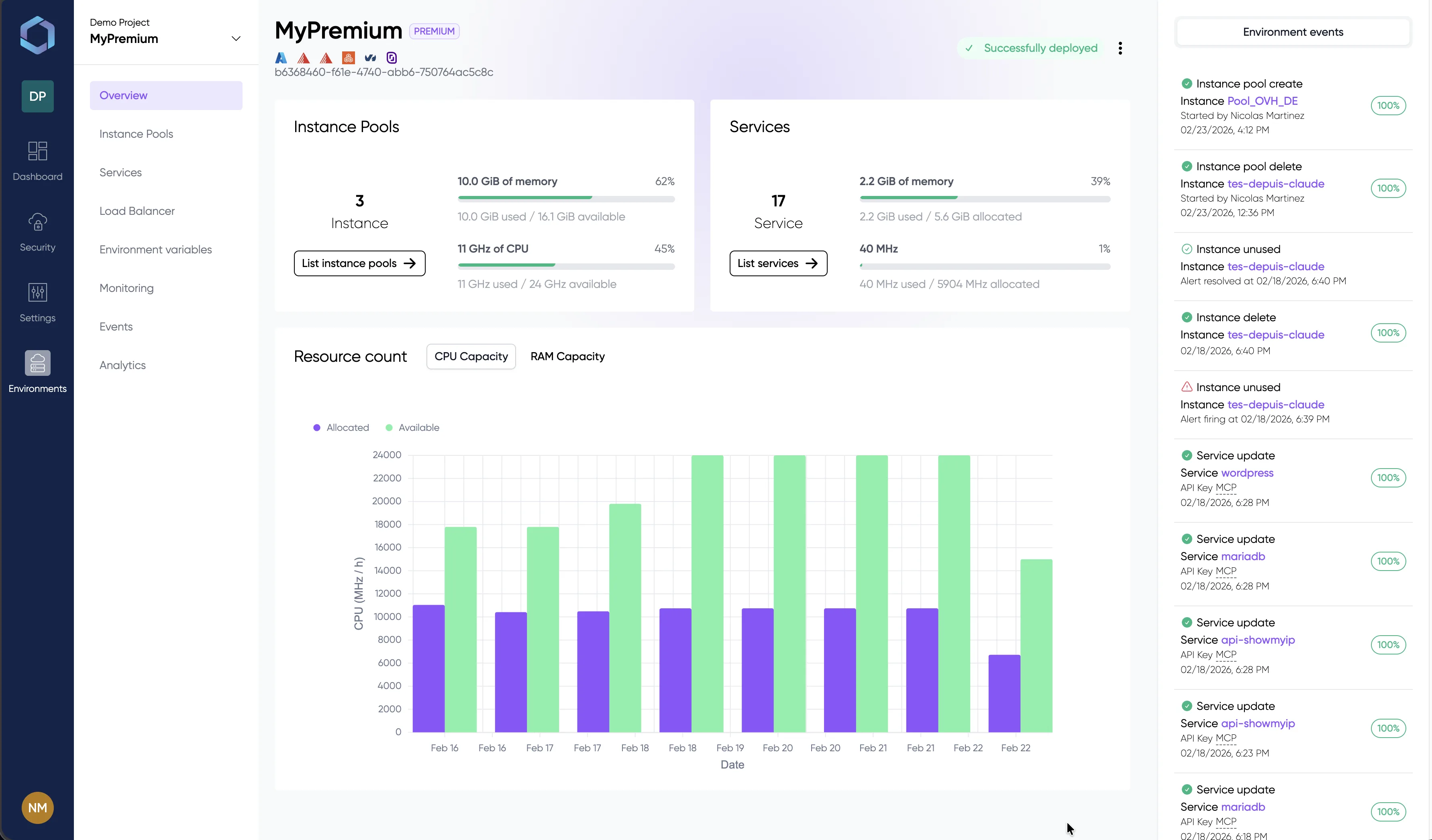
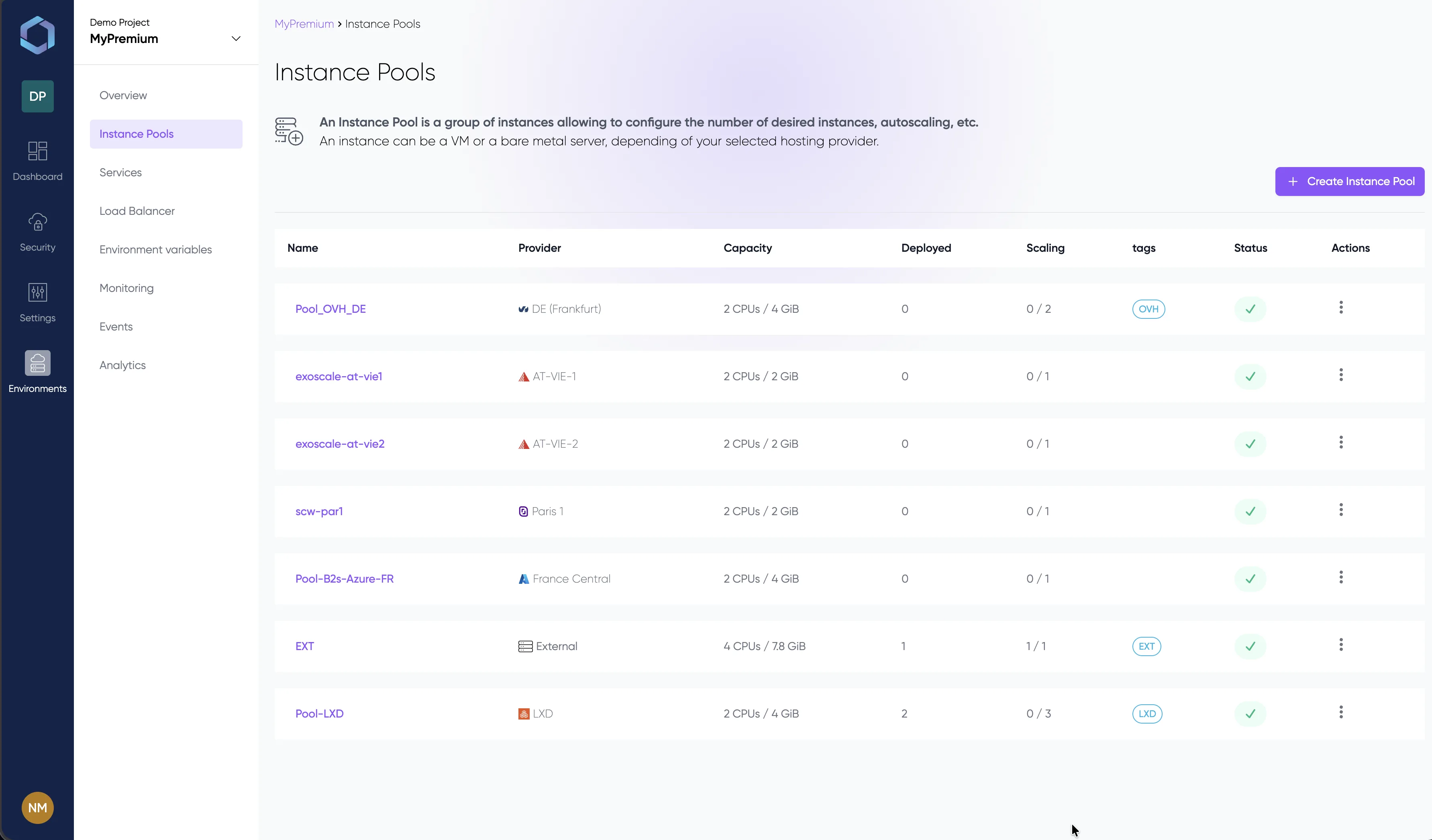
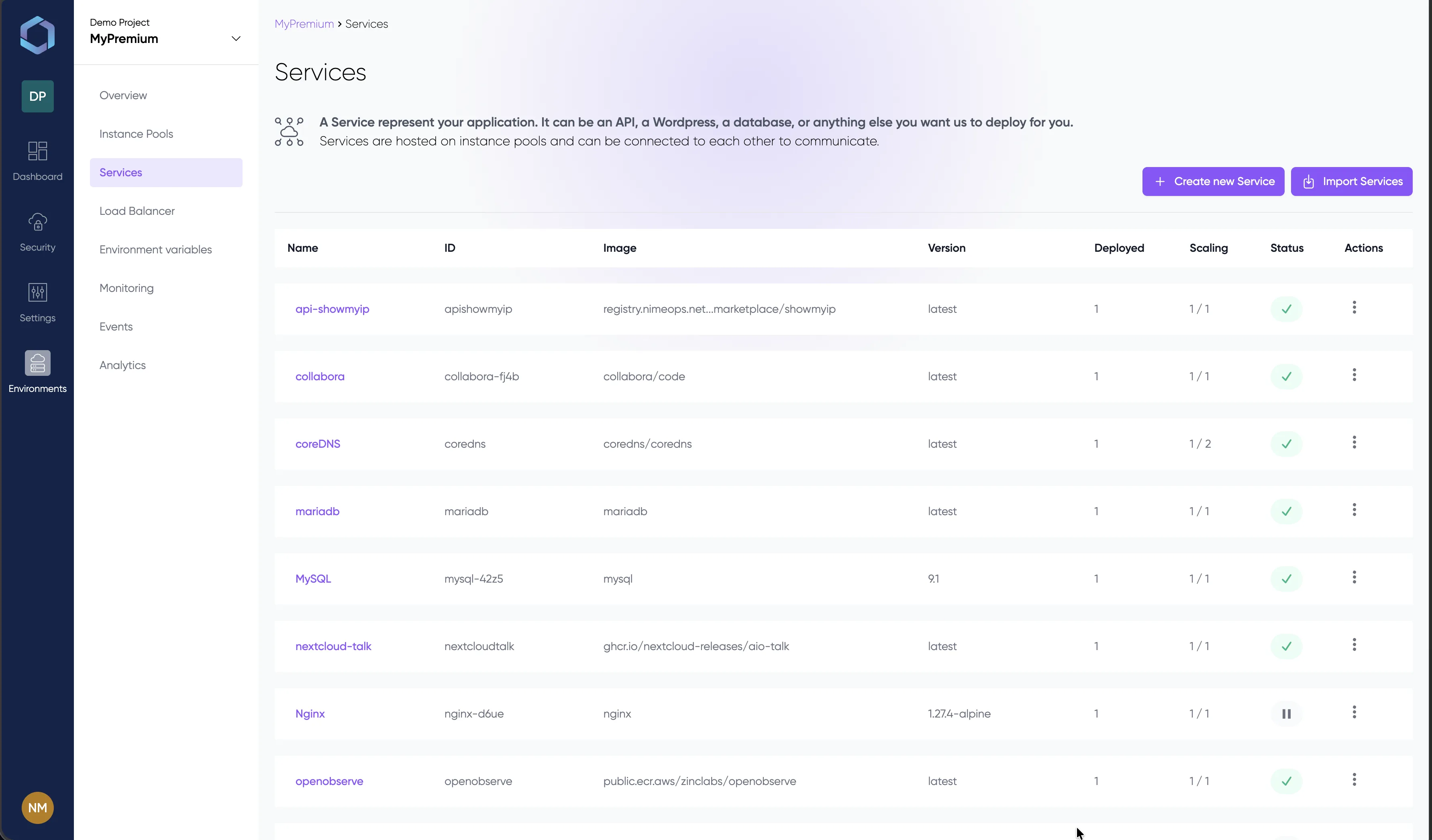
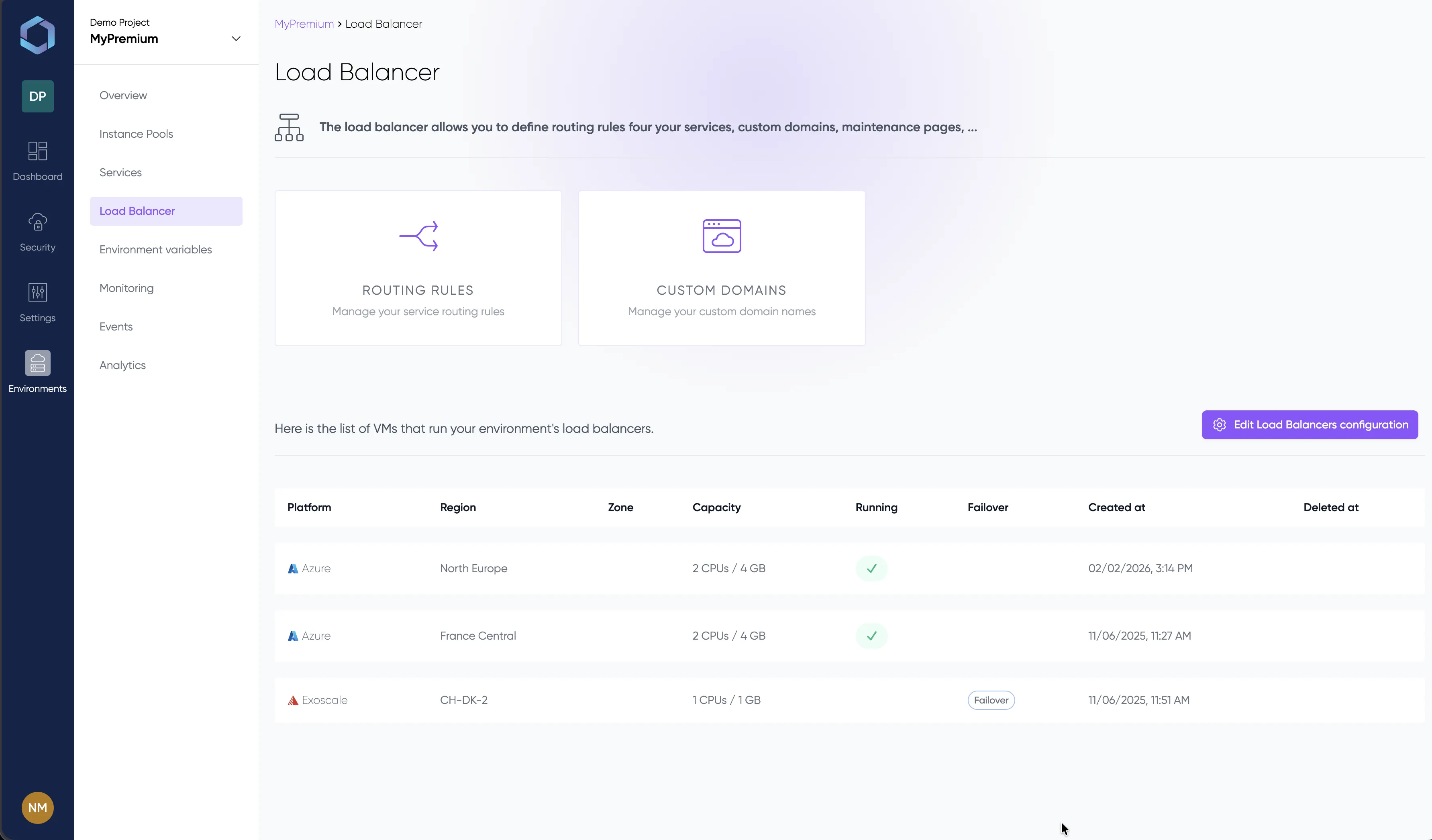
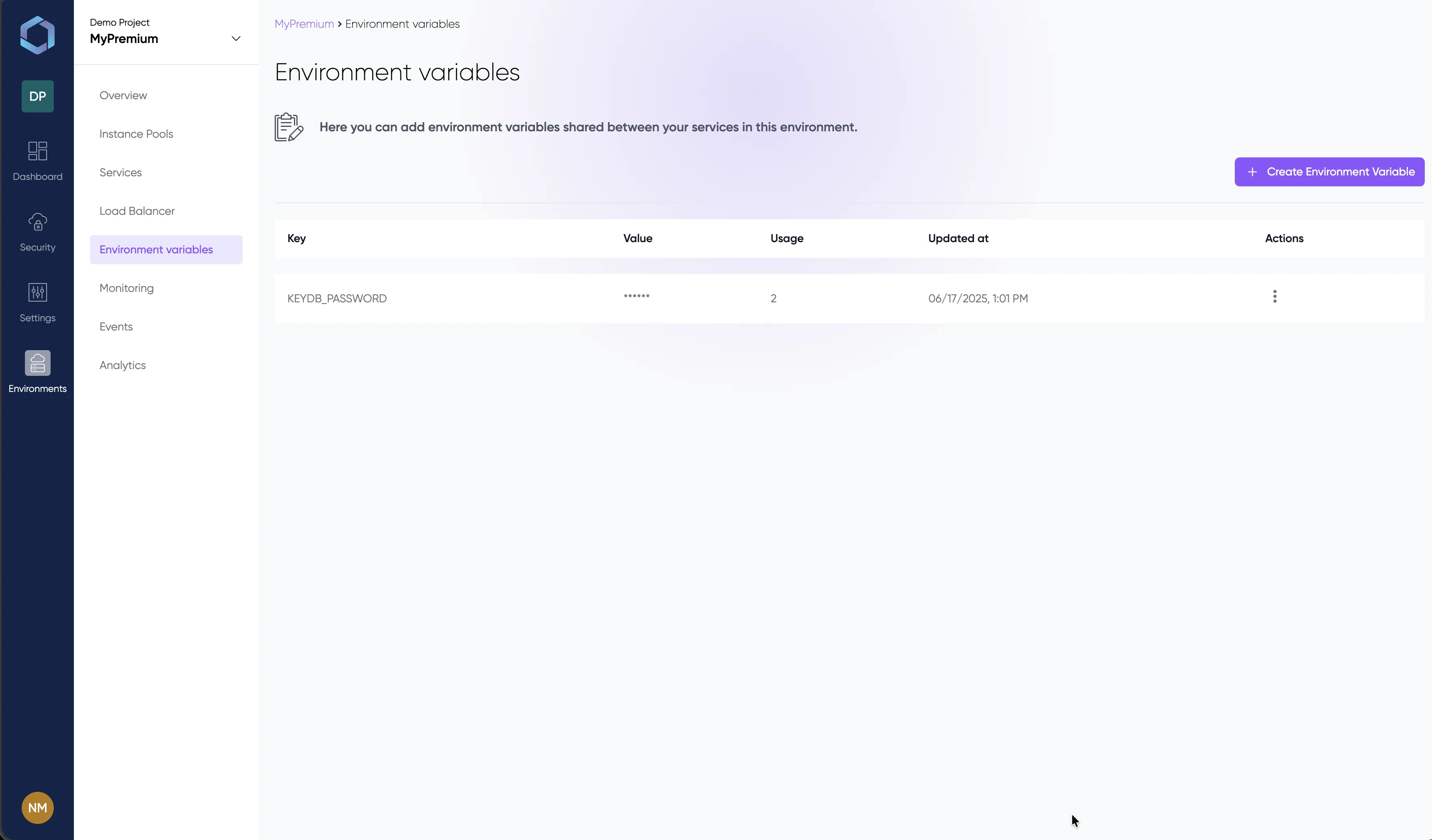
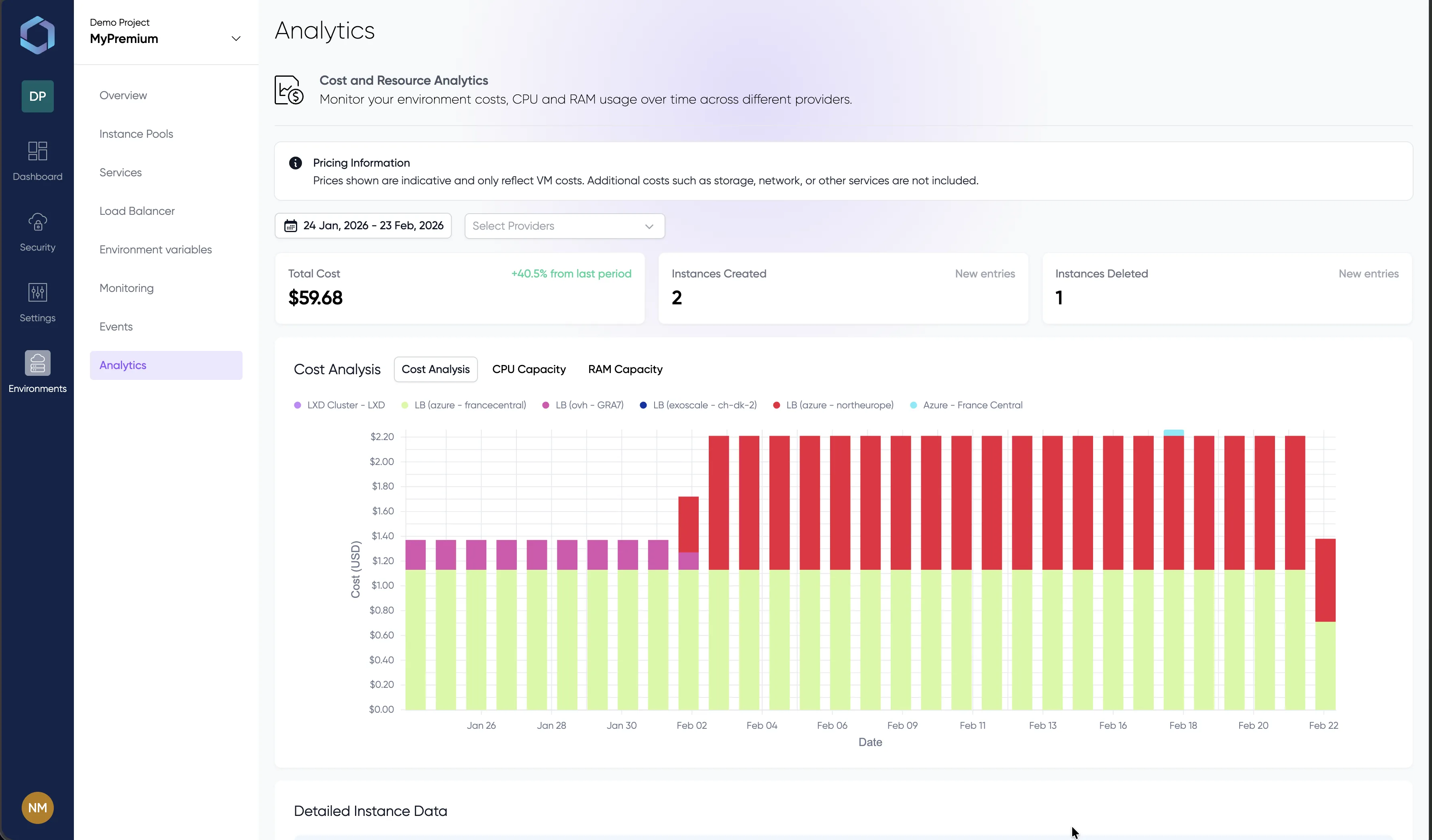
Explore the console with sample data — no signup required
Why teams move beyond Kubernetes
Too much to manage
Kubernetes requires you to maintain control planes, etcd clusters, node pools, CNI plugins, ingress controllers, and cert-manager — before deploying your first container. LayerOps is fully managed: deploy in minutes, not weeks.
Hidden costs add up
Beyond the $73+/month control plane fee (EKS/GKE/AKS), you need dedicated DevOps engineers, monitoring infrastructure, and third-party tooling. LayerOps includes everything in a single plan — no hidden ops budget.
Steep learning curve
Kubernetes has hundreds of concepts: Pods, Deployments, StatefulSets, DaemonSets, ConfigMaps, Secrets, RBAC, CRDs, Operators. LayerOps abstracts this away — your developers deploy services, not infrastructure.
Ecosystem fragmentation
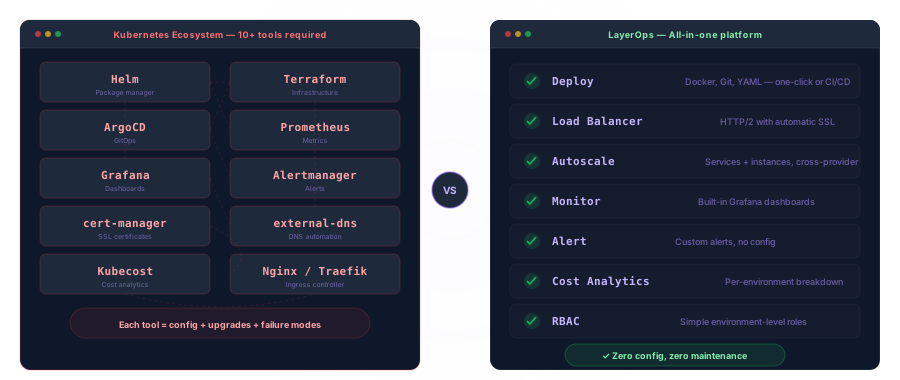
A production Kubernetes setup requires Helm, Terraform, ArgoCD, Prometheus, Grafana, Alertmanager, cert-manager, and external-dns — each with its own config, upgrades, and failure modes. LayerOps replaces them all.
Multi-cloud is an afterthought
Running Kubernetes across AWS, GCP and Azure means managing separate clusters, Federation, or tools like Crossplane. LayerOps deploys across any provider — including OVH, Scaleway and bare-metal — from a single control plane.
Scaling requires extra tooling
Kubernetes pod autoscaling needs Metrics Server and HPA config per deployment. Node autoscaling requires the Cluster Autoscaler, configured per provider. LayerOps auto-scales both services and instances natively across all clouds.
Configuration comparison
A simple API with autoscaling, load balancing and SSL. Kubernetes needs four separate manifests plus external tooling. LayerOps handles it in a single service definition.
Architecture Comparison
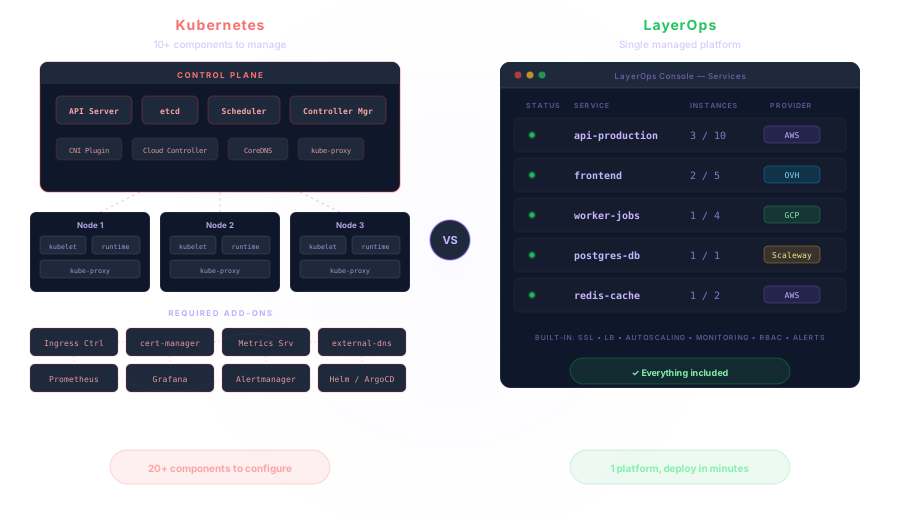
One platform instead of twenty components
A production Kubernetes cluster involves an API server, etcd, scheduler, controller manager, kubelet on every node, kube-proxy, a CNI plugin, an ingress controller, cert-manager, and a monitoring stack. LayerOps replaces this entire architecture with a single managed platform — you define services, we handle the rest.
Multi-Cloud Native
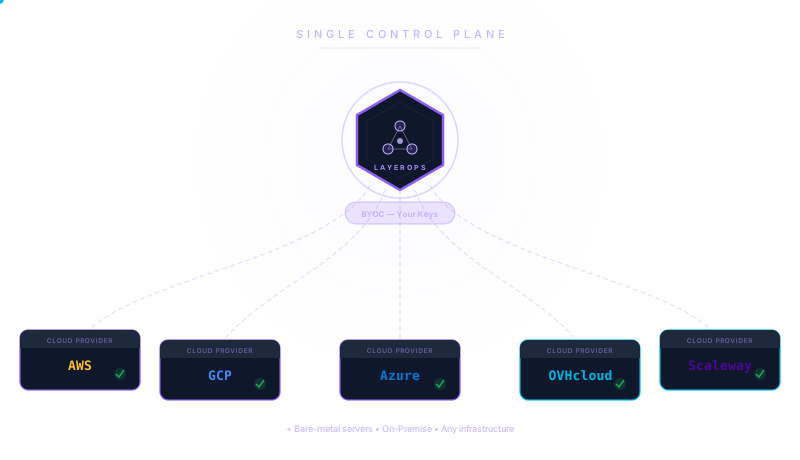
Deploy anywhere from one place
With Kubernetes, each cloud provider means a separate cluster, separate tooling, and separate expertise. LayerOps connects to AWS, GCP, Azure, OVH, Scaleway, and bare-metal through your own cloud credentials (BYOC). Add a provider, redeploy — workloads flow to where they belong without migration projects. Learn about Bring Your Own Cloud →
Tooling Overhead
Replace your entire DevOps stack
A typical Kubernetes production setup chains together Helm for packaging, Terraform for infrastructure, ArgoCD for GitOps, Prometheus and Grafana for monitoring, Alertmanager for alerts, cert-manager for SSL, external-dns for domains, and Kubecost for cost tracking. LayerOps provides all of these capabilities in a single integrated platform.
| Kubernetes + DIY | LayerOps | |
|---|---|---|
| Setup & OperationsTime to first deployment | Days to weeks | Under 10 minutes |
| Infrastructure as Code | Terraform + Helm + YAML | Built-in, one-click or YAML |
| Cluster management | Manual (upgrades, patches, etcd) | Fully managed |
| Learning curve | Steep — requires dedicated DevOps | Minimal — built for developers |
| Multi CloudMulti-cloud support | DIY (Federation / Crossplane) | Native — any provider, single pane |
| Hybrid cloud (cloud + bare-metal) | Complex (Kubelet on bare-metal) | Native — mix any infrastructure |
| Bring Your Own Cloud (BYOC) | N/A | |
| Cloud provider switch | Major migration effort | Add a provider, redeploy |
| DeploymentDocker image deployment | ||
| Git-based deployments | ArgoCD / Flux (extra setup) | Built-in Git integration |
| Auto-scaling (services) | HPA + Metrics Server | Built-in, per-service |
| Auto-scaling (instances) | Cluster Autoscaler (per provider) | Built-in, cross-provider |
| Load Balancer with SSL | Ingress + cert-manager | Built-in HTTP/2 LB + auto SSL |
| Custom domains | Manual DNS + Ingress rules | One-click domain mapping |
| Monitoring & SecurityMonitoring dashboards | Prometheus + Grafana (DIY) | Built-in Grafana |
| Alerting | Alertmanager (config required) | Built-in custom alerts |
| Cost analytics | Kubecost / OpenCost (add-on) | Built-in per-environment analytics |
| RBAC | Complex ClusterRole/RoleBinding | Simple environment-level RBAC |
| SSH access to services | kubectl exec (full cluster access) | Temporary authorized SSH |
| Operational CostDevOps team required | Yes (1-3 engineers minimum) | No — managed platform |
| Control plane cost | $73+/mo per cluster (EKS/GKE) | Included in plan |
| Tooling overhead | 10+ tools (Helm, Terraform, ArgoCD…) | Single platform |
See it in action
Explore the LayerOps console without creating an account. Browse environments, services, monitoring dashboards and deployment configs — all with realistic data.
Still need Kubernetes?
LayerOps is not a Kubernetes replacement for every use case. If you need custom operators or CRDs, Kubernetes may be the right fit. But for 90% of container deployment needs, LayerOps gets you there faster — with less cost and complexity.
Worried about lock-in? LayerOps guarantees full reversibility — export your stack to Docker Compose, Kubernetes, or any OCI-compatible platform at any time. Zero vendor lock-in by design.
Looking to build an Internal Developer Platform without the Kubernetes overhead? See how LayerOps enables Platform Engineering with golden paths, self-service deployments, and built-in guardrails.
Also coming from AWS? See how Daily Solution cut their bill by 72% by migrating from AWS Fargate to LayerOps, or compare LayerOps vs AWS Fargate. Coming from Heroku? See LayerOps vs Heroku. Using Portainer? See LayerOps vs Portainer. On Azure? See LayerOps vs Azure ACI.
Need to deploy on your own infrastructure? Discover LayerOps On-Premise — self-hosted, white-label, sovereign.
Ready to simplify your deployments?
Deploy your first service in minutes, not days.